

Schedule
Esta página aún no está disponible en tu idioma.
Customize course setup, view faculty schedules, and manage course rosters with ease.
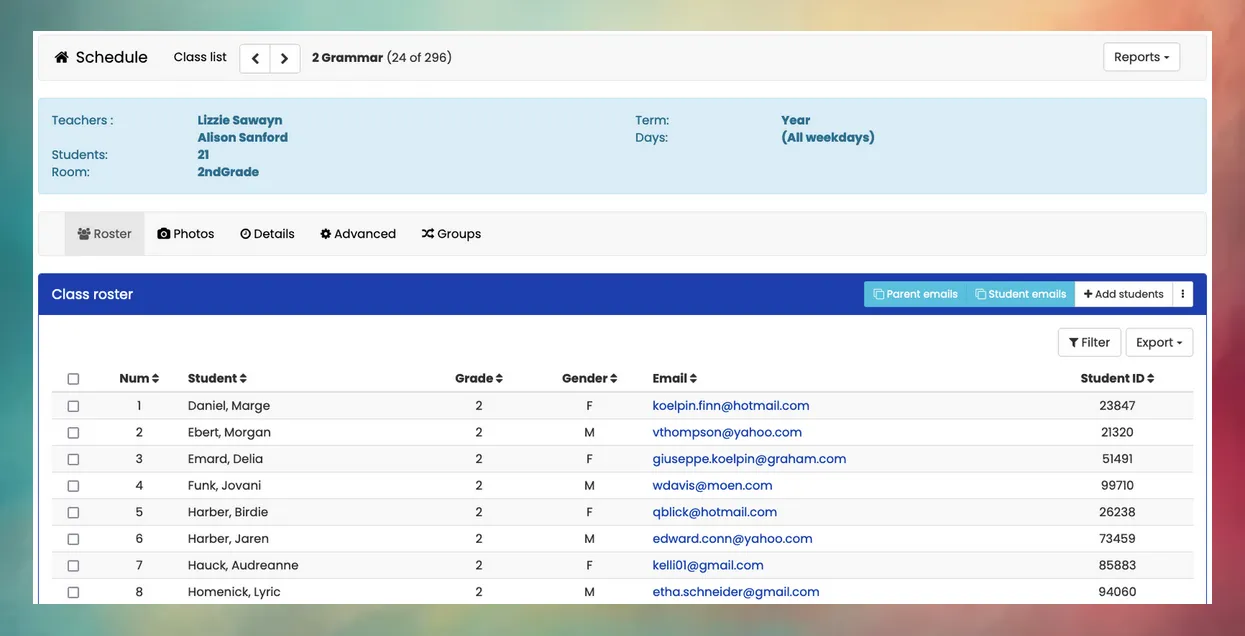
The Schedule feature is a central point in Mosaic for setting up courses and individual classes, managing student rosters, and much more. Here are some of the tasks you can do within the Schedule module:
- Manage a master list of courses that are taught year after year
- Set up classes at the beginning of each year, assigning teachers, classrooms, and enrolling students
- View class rosters, student photos, and other class details
- Create random participation groups within each class
- Easily assign homeroom teachers for all students
- Check all student schedules to find discrepancies
- Bulk email schedules to students and parents
- Check student progress toward graduation diploma requirements
Schedule Setup
Section titled “Schedule Setup”Because courses are taught year after year, schedule setup at the beginning of a new year is simple. Just review the course list (one division at a time), and then proceed to how many sections of each class should be created. Each course can be configured to automatically enroll students in a certain grade range, or to allow you to manually select which students to add.
Are teacher and student schedules adjustable once a term has begun?
Yes. Mosaic offers administrators the ability to Add, Transfer, Withdraw, or Remove students from a class roster even after the term has begun. To minimize data loss, this operation is best done early in the year or after the close of a marking period.