

GradeBooks
Effortlessly manage, track, and communicate student progress.
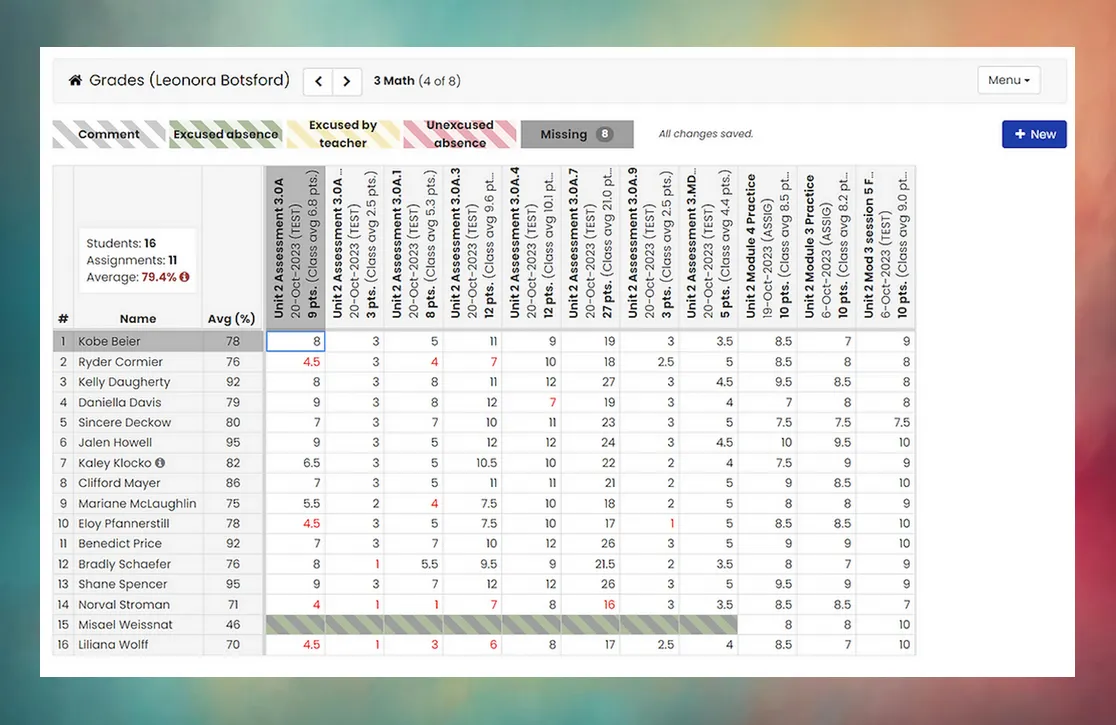
GradeBooks empowers you to efficiently manage your students’ grades using Mosaic.
With customizable grading categories, Mosaic will automatically calculate and measure performance to meet your classroom’s specific needs.
Keep students and their parents up-to-date throughout the course with automated weekly notifications for low grades and missing assignments, allowing for timely intervention. Students and parents can conveniently monitor grades and assignments through personalized logins, encouraging continuous engagement from both parties.
The Mosaic GradeBook is designed for ease of use and is seamlessly integrated with attendance records. Educators can explore a range of grade reporting options and customization features tailored to meet the specific requirements of each course within every organization.
Grade Calculation
Section titled “Grade Calculation”With customizable categories and weighting options, you can tailor the grading system to fit your specific course requirements.
GradeBooks handles all the complex calculations and averages automatically, saving time and reducing the margin for error. Grades are updated in real time, ensuring that students, parents, and educators will always have access to the current information. Whether it’s simple point-based grading or more complex weighted grading systems, GradeBooks ensures accuracy and consistency. Furthermore, you can easily adjust grading parameters as needed throughout the academic term, accommodating changes in curriculum or assessment methods.
With Mosaic’s GradeBooks, the burden of manual grade calculation is lifted, allowing educators to focus more on meaningful student engagement and academic support.
Grade & Assignment Reminders
Section titled “Grade & Assignment Reminders”Weekly email notifications are automatically generated and sent to parents and students, ensuring they stay informed about missing assignments and low grades.
By sending these reminders, Mosaic ensures that parents and students receive timely updates, empowering them to take proactive measures to address academic challenges as they arise. Our goal is to foster continuous communication and engagement between educators, students, and parents— ultimately supporting student success.
How do I configure or update the parental emails that receive "Grade & Assignment Reminders" for a student?
GradeBooks automatically sends grade and assignment reminders based on the contact information in the student profiles. Your administrator is able to update this information at any time by following this navigation path:
Students > Grade Level > Student Name > Family > Edit Parent/Guardian Email
If a set of parents have more than one child, is a separate login required to view each GradeBook?
Only one login is required. By visiting the Family Portal, parents are able to view current grades, missing assignments, and assigned homework for each of their children with ease.
What are the benefits of creating different categories for grades?
The ability to create custom categories makes it easy to assign different weights to various types of assignments. For example:
- Tests and Quizzes = 40%
- Projects = 20%
- Homework = 10%
- Final Exam = 30%